Account and plan
Updated
Settings#
Everything about your account lives on one page.
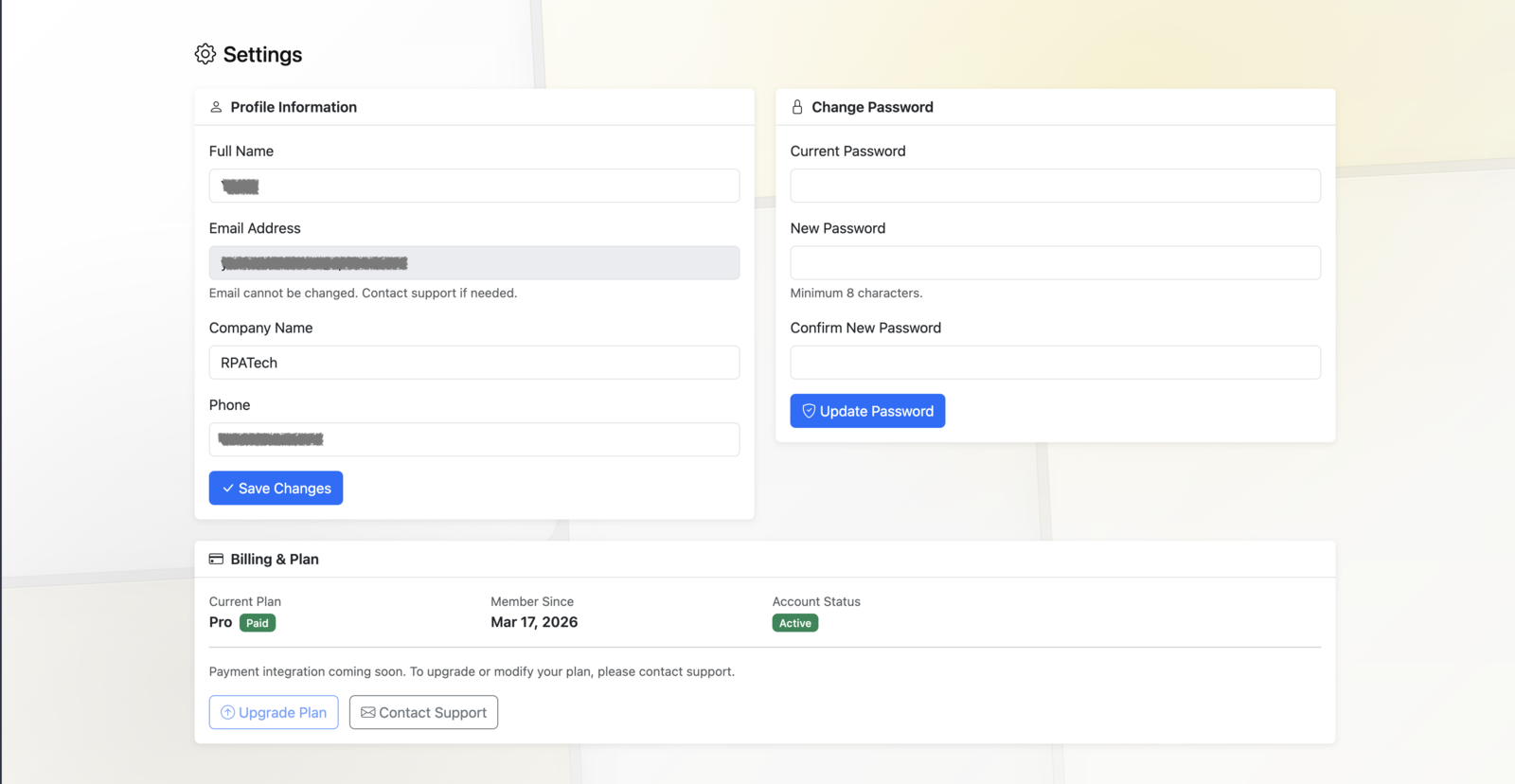
What you can change#
| Field | Notes |
|---|---|
| Full Name | Your name on the account |
| Company Name | Used on correspondence |
| Phone | Contact number |
Save Changes applies them.
Changing your password#
Enter your Current Password, then the new one twice, and choose Update Password.
What you cannot change#
Email Address is shown but fixed — it identifies the account and is where credentials and notices are sent. Contact support@docxtract.io to change it.
Account information#
Read-only, on the same page:
| Field | Meaning |
|---|---|
| Account Status | Whether the account is active |
| Current Plan | Trial, or your paid tier |
| Member Since | When the account was created |
| Trial Expires | End of the trial window — trial accounts only |
| Trial Usage | Credits used against the trial allowance |
Trials#
A trial runs 14 days by default with a fixed credit allowance.
When a trial ends, calls return 402 (usage_limit_exceeded). Nothing is deleted; request a plan change (below) and your existing keys keep working once converted.
Plans and billing#
There is no card payment in the portal yet. Under Billing & Plan, Upgrade Plan opens a short form — the plan you are interested in, your expected monthly page volume, and anything you want to tell us. Sending it records the request and emails our sales team; you get a confirmation email, and the card shows Plan request sent with the date until we have followed up. Nothing is charged from this form, and your current keys keep working meanwhile.
Your tier affects extraction accuracy and your credit allowance; the API surface is identical on every tier. Invoices are still handled by email.
Something wrong or missing on this page? Tell us.